Making a simple music video with your phone: script, lighting and editing
Make a video for your own song with just a phone: concept and shot list, camera settings, using natural light, lip-syncing in time and cutting to the beat.
You have finished recording a song and want visuals to post online. No camera, no crew, just your phone. The good news is that today's phone cameras can make a tidy music video if you prepare the concept well and learn a few basics of lighting, framing and editing. This article follows the actual order of work.
Start with the idea, not the camera
Low-budget music videos usually fail not because the images are bad but because they do not know what they are saying. Before picking up the phone, answer three questions:
- What is the song's main emotion? Longing, joy, anger, calm. Every later choice (colour, location, cutting pace) serves that emotion.
- What kind of video is it? Performance (the singer sings to camera), narrative (characters, a situation), or mood (a sequence of evocative images, no plot needed). For beginners, performance mixed with a few mood shots is the easiest.
- What is the central image? An umbrella, a road, a window. A recurring image gives the video identity even on a zero budget.
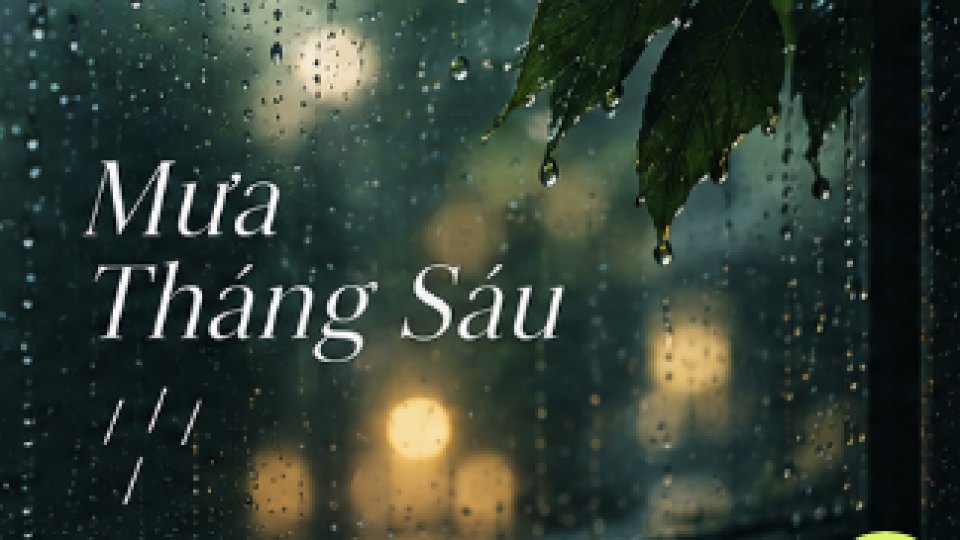
For example, rain videos often use misted window glass, blurred streetlights and cold blue tones. I wrote about the power of that imagery in why rain music videos stay with us.
Write a shot list
Listen to the song a few times and divide it into sections: intro, verse 1, chorus, verse 2, bridge, final chorus. Note the timing of each. Then, for each section, write down the shots you want.
A simple shot list includes: number, location, shot size (wide, medium, close-up), content and matching music section. Get all three sizes at each location: a wide shot so viewers know where they are, a medium for performance, a close-up for emotion (eyes, hands on the keys). Shoot about three times more than you really need; you will thank yourself in the edit.
A note on pacing: verses often use long takes with few cuts; choruses speed up the cutting and widen the space. That change helps the video "breathe" with the song.
Set up your phone before shooting
Resolution and frame rate
Shoot 4K if storage allows, so you can crop and zoom in the edit without losing quality. For frame rate (fps): 24 or 25 fps feels cinematic, 30 fps feels like regular video. Choose one and stick with it for the whole video. For slow-motion shots, film those separately at 60 or 120 fps and slow them down in the edit.
Lock focus and exposure
Phone cameras adjust brightness and focus constantly, making the image "breathe" and flicker as you move. On iPhone, touch and hold the subject on screen until "AE/AF Lock" appears. On Android, many phones do something similar with a long press, or use Pro mode to adjust manually. It is a small change that makes footage look far more professional.
Landscape or portrait
Decide at the start: 16:9 landscape for YouTube and websites, 9:16 portrait for TikTok, Reels and Shorts. If you need both, shoot landscape 4K with the subject centred; you can crop a vertical version later with enough detail.
Do not forget to wipe the lens. Fingerprints on the camera glass cause a huge number of hazy shots.
Light: more important than the phone
A phone's small sensor does well with plenty of light and much worse in the dark. So lighting decides image quality more than the phone model.
Window light is the best free light source. Seat or stand the singer at 45 degrees to the window, and the soft light will shape the face. Avoid placing the window directly behind the person, or the camera will render them as a dark silhouette.
Golden hour, about an hour after sunrise and before sunset, gives low, warm, soft sunlight. Great for outdoor scenes. Harsh midday sun creates deep shadows under the eyes and nose and is hard to make flattering.
At night, use existing light: streetlights, signs, café lamps. A small LED light, or even a tablet showing a white screen, can light a face. Avoid ceiling lights shining straight down; they darken the eyes.
A cheap trick: a white card or foil as a reflector, placed opposite the light source to brighten the shadow side of the face.
Lip-syncing in time
In a music video, the vocals are the studio recording while the singer lip-syncs on camera. To make it match:
- Play the song through a reasonably loud speaker on set, and have the singer actually sing (out loud, not just mouthing). Mouth shapes and neck muscles look much more natural.
- For each take, start from the beginning of a planned section, never mid-line.
- Clap once before starting, or have the speaker play a count-in. In the edit, align the clap's waveform peak with the recording to sync picture and sound precisely.
- Film the whole song from several angles. In the edit you can cut between angles and the lips still match.
Editing and publishing
Phone editing apps such as CapCut or VN are enough for a simple video. If you have a computer, the free version of DaVinci Resolve is far more powerful, especially for colour grading.
Place the audio first, then lay pictures on top. Mark strong beats and section changes on the timeline and cut at those points. Cutting on the beat is what makes viewers feel picture and music "click" without knowing why. You need not cut on every beat; for a ballad, each shot can last 2–4 bars.
For colour, keep one consistent look: warm for memories, cool for sadness, high contrast for rock. Apply the same colour filter to every shot, then fine-tune each to even out brightness.
When exporting, 1080p or 4K in H.264 is a safe choice for most platforms. Export audio at AAC 256 kbps or higher; do not let a low default ruin a recording you worked hard on.
One important point: use only music you have rights to. Your own song is fine, but using someone else's music as background can get your video removed or muted.
To see how tidy music videos use imagery, watch the Mưa Tháng Sáu MV or Slow Weather on Tanro Music and notice how shots are cut to the music and how colour keeps one tone throughout. Watching with a maker's eye, you will learn more than watching as an audience.
- 0회 조회
- 0좋아요
- 0회 공유